@.         
                @@         
          :     :@         
          .@     @         
           :@    @+        
            +@   @@        
        `@@@;'@` +@        
       '@@'+@@@@; @        
               @@@@'       
                +@@@.      
                 `@@@+     
       :@@:@.     :@@@     
        .@@@@:     @       
          @#@@@    @:      
          .@ '@@@  @@      
           ;@  #@@@`.      
            @+  @@@@@      
             @   +@@@@:    
        @@@@@@.    +@@@+   
        @@.@@@        .    
         @,                
         `@                
          +@               
        #@@;               
       :@:@@@              
       .@ #+#@             
       `@  @ @+            
        @'  @ @            
        :@  :@@            
         @@  #;            
          @:               
           @:              
                .          
                @+         
        ;:      `@         
       +@@@      ::        
        #@@@'     @        
         :@@@@    :;       
          `@@@@:   @       
           .@@@@#  @`      
             @;@@@`+@      
              @ @@@@@      
               @ '@@#      
                @  ;       
                 @         
         @@@:    :@        
        @@@@@@:   ##       
        +  :@@@@.  @`      
         @   :@@@@ ;@      
         +@    ;@@@@@      
          @#     #@@@      
           @       +.      
        @@@@@              
       @@@@@@+             
       @   ;@@             
       #,   ;@+            
        @`   @@            
        :@# @+@            
         .@@@:`            
                           
           :               
         . #;              
        @@@@@              
       @.`#@@@             
       @    @@.            
       :#    @@            
        @#   @@            
         @@@@##            
          @@@              


       .@@@@@#`            
       @+:;;@@@@:          
       ;@ @ @@ @@@`        
        @@@@ @@` @@#       
         ;@@  :@; :@@`     
          @+    @@  @@+    
          #@     `@+ .@#   
           @:      .@#:@;  
            @         :@   


Popular Posts

Showing posts with label Computers. Show all posts

Recently I was encountered with the Bresenham's Line Drawing Algorithm. If you want to know more about it Google is your friend and here is a nice Proof that I found. It has four different condition and with little variation. So instead of writing four functions for 4 different Slopes, here I wrote one function that works for all. The trick is to pass the parameters according to the slopes and use the same function instead of using 4 different function.Here is the code in OpenGl.
#include <GL/glut.h>
#include <iostream>
using namespace std;
int a, b, c, d, flag;
void init() {
glClearColor(0.0f, 0.0f, 0.0f, 0.0f);
glMatrixMode(GL_PROJECTION);
gluOrtho2D(-160.0, 160.0, -160.0, 160.0);
}

void PutPixel(int x, int y) {
    glColor3f(1.0f, 0.0, 0.0);
    glBegin(GL_POINTS);
    if(flag)
    glVertex2i(y,x);
    else
    glVertex2i(x, y);
    glEnd();
}
//The Generalized Function, sweet ans Short.
//First three parameters only required, rest if made global need not be passed.
void bresenhamGen(int x, int y, int p, int dx, int dy, int limit, int xinc, int yinc) {
    if(limit < 0) {
        return;
    }
    PutPixel(x, y);
    if(p < 0)
        bresenhamGen(x + xinc, y, p + 2*dy, dx, dy, limit - 1, xinc, yinc);
    else {
        bresenhamGen(x + xinc, y + yinc, p + (2*dy - 2*dx), dx, dy, limit - 1, xinc, yinc);
    }
}
//checking the slope ans calling the function accordingly.
void bresenham(int x1 , int y1, int x2, int y2) {
    if(x1 > x2) {
        swap(x1, x2);swap(y1, y2);
    }
    int dx, dy;
    dx = x2 - x1;
    dy = y2 - y1;
    float m = (float)dy/dx;
    if(m > 0 && m < 1) {
        flag = 0;
        bresenhamGen(x1, y1, 2*dy - dx, dx, dy, x2 - x1, 1, 1);
    }
    else if(m >= 1) {
        flag = 1;
        bresenhamGen(y1, x1, 2*dx - dy, dy, dx, y2-y1, 1, 1);
    }
    else if(m < -1.0) {
        flag = 1;
        bresenhamGen(y1, x1, 2*dx + dy, -1*dy, dx, y1 - y2, -1, 1);
    }
    else if(m >= - 1) {
        flag = 0;
        bresenhamGen(x1, y1, -2*dy - dx, dx, -1*dy, x2 - x1, 1, -1);
    }
}
void display() {
    glClear(GL_COLOR_BUFFER_BIT);
    bresenham(a, b, c, d);
    glFlush();
}

int main(int argc, char **argv) {
    cin>>a>>b>>c>>d;
    glutInit(&argc, argv);          
    glutCreateWindow("Bresenham");  
    glutInitWindowSize(320, 320);   
    glutInitWindowPosition(100, 100); 
    glutDisplayFunc(display);
    init(); 
    glutMainLoop();
    return 0;
}
Continue Reading

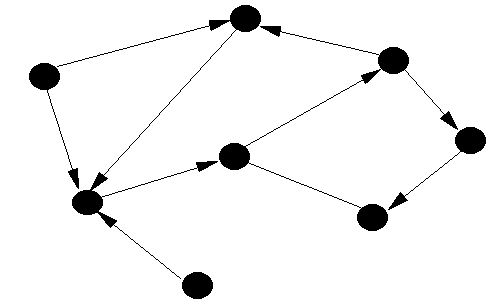
Graph are one of the most interesting topic to be discussed, but many who begin get confused as to how to implement it. There are many way to implement a graph here is one of the simplest implementation. Where the no. of vertex and the info about the edge is taken as an input.
#include<iostream>
#include<string>
#include<vector>
using namespace std;
struct Edge
{
 int destination;
 int weight;
};
void printGraph(vector< vector<Edge> > v){
 for(int i=0;i<v.size(); i++){
// same thing can also be done using iterator;
  cout<<i<<": ";
  for(int j=0;j<v[i].size();j++)
   cout<<v[i][j].destination<<" ";
 }
}
Edge getEdge(int dest, int weight=0){
 Edge e;
 e.destination = dest;
 e.weight = weight;
 return e;
}
int main(){
 vector< vector<Edge> > g;

        // destination of each vertex here max is choosen as 20;
 int dest[20];

 int n;//number of vertex;
 cout<<"Enter the no of vertex\n";
 cin>>n;
 for(int i=0;i<n;i++){
  cin.sync();
  cout<<"Enter no of edges";
  int ne;
  cin>>ne;
  cout<<"Enter all the destination";
  for(int j=0;j<ne;j++)
   cin>>dest[j]; 

// enter all  destination in one line here 1 2 3 4 etc.
  vector<Edge> temp;
  for(int j=0;j<ne;j++){

                        // weight is kept at zero, can be passed here.
   Edge e = getEdge(dest[j]);
   temp.push_back(e);

  }
  g.push_back(temp);
  temp.clear();
 }
 printGraph(g);
 return 0;

}
The graph in the above is directed graph so if an undirected graph is made one should keep in mind about adding the symmetric edge too. Here The weight is given a default value of zero if one wants to assign weight to different edge , with the destination also pass the weight of the edge. This is an implementation using vector, map or list can also be used according too the need.
Continue Reading

Taking inputs, yes you must be knowing them already but here is a little hack that i really liked. Usually in competitive coding the input format is predefined and then there are time when you have to take input of multiple value in the same line for example.

1 2 3 4 5 6 6 7 9

if this is to be stored in an array of type int but the user enters all the values in single line then this can be done.
if we want to enter 10 number in the array, then :

int x[10];
for(int i=0;i<10;i++)
     cin>>x[i];

Now when prompted for input enter all the values in one line, thats it. 
a second solution is using the istringstream, if you already have a string like "1 2 3" then this can be done.

int n;
string s="1 2 3 4 5 6 7 8 9";
int a[9];
int i=0;
istringstream st(s);
while(st>>n){
a[i]=n;
i++;
}
// and a will have iall the element in specified position.
Continue Reading
Windows 8  Ad Hoc Using Command Prompt With Batch File

Windows 8 Does not allow to make Ad Hoc network , And the new update to it windows 8.1 doesn't even allow to connect to and Ad-Hoc network. The reasons are still not clear, but even this is not completely true. Windows 8 just removed the front end GUI to make the Ad-Hoc. Using CMD that can be done. The netsh command does this trick well,The command is something like this:

netsh wlan set hostednetwork mode=allow ssid=<network name> key=<password 8 char>
netsh wlan start hostednetwork

Here is a picture showing how to check if Hoatstednetwork is supported or not.

But typing these lines is painful and yes most of are lazy. So I thought of Making a batch file that Will some what automate this feature with little bit of user intraction in with the user can choose the Network name and password. Below goes the code for the Batch file that Present with a Menu that can Start, Stop the ad-hoc.
Ps: The Network created wont be visible on you laptop but other friends can see it and connect, If in the first attempt the network is not visible try first stoping the Ad-Hoc by Pressing 2 the second option in the Menu.


Copy the below code to a text file and save it as "adhoc.bat" remember to run it as Administrator 

Continue Reading
Understanding the 'this' keyword in Javascript .


Understanding this took me quite some time and the way I learn is by reading source code and then interpreting what I get from them.I write so that I don't forget it later on. This Post I will try to explain how the awesome keyword 'this' works in javascript as it has different meaning at different places.
Before starting I would like you to remember the key rule :
'this' always refers to the owner.
So,here are instances that Prove the above line.This is different is different circumstance.

Below are different situations in which this can be used ..

Continue Reading
Django 'Unresolved import' Error of Pydev in Ubuntu Fix

Recently I switched from Windows to Ubuntu and being a beginner I had to face a few problems setting up everything . For writing Django apps I use Aptana IDE that in turn uses the Pydev plugin. I downloaded the tar ball from aptana official site .Installed Django using the terminal. Extracted Aptana tar ball in home directory and Ran it by double clicking on 'AptanaStudio3'. Everything looked nice until I imported a django app in the workspace . All the Djano import when marked as error and they could not be resolved . There was nothing wrong with the Python path variable and when running the Project from the terminal everything worked .The Problem was with Aptana/Eclipse that it could not resolve the path. I found the reason after some time and this is how i solved it .

The problem:


Continue Reading
AS EXPLAINED TO A 4 YEAR OLD CHILD, SOME QUESTIONS THAT YOU THOUGHT WERE TOUGH


Q1.How should I explain dynamic programming to a 4-year-old?

*writes down "1+1+1+1+1+1+1+1 =" on a sheet of paper*
"What's that equal to?"
*counting* "Eight!"
*writes down another "1+" on the left*
"What about that?"
*quickly* "Nine!"
"How'd you know it was nine so fast?"
"You just added one more"
"So you didn't need to recount because you remembered there were eight! Dynamic Programming is just a fancy way to say 'remembering stuff to save time later'"


Continue Reading
Taylor Swift-Golden Glow wallpaper [Photo Manipulation]

I made this image manipulation in Photoshop few week back when I had nothing to do. Eventually it turned out to be beautiful. I did not have an active internet connection then so what I did was to just extract an screenshot from on of her Music video which I had in my PC and then use it. That is the reason the size of the image is exactly of my screens resolution.

Continue Reading

Recently I was asked by my friend to write a simple code to check if two strings are anagram or not.I wrote three different approach to it in python.I was not allowed to change the input format so i had to do some extra work and write a function to get input.
Here is the question that was given:

Anagram

--------------------------
In this problem, you are given two strings S1 and S2, your task is to determine whether one string is an anagram of the other. An anagram of a string is a string obtained by permuting the letters of a string. For example aaba and aaab are anagrams, while abcd and deba are not.
Continue Reading


Before moving on with this I would before you can actually do that in one click you have to take a little bit of pain to set up the system, I promise it’s a one time setup and won’t poke you ever after ,just a click and that
Ugly addition to the title and filename removed in a click. So far if you are not getting as to what i am upto ; in plane and simple words: many time you must have downloaded songs that has this ugly thing like “songname_www.xyz.com” now what it will do is that it will just remove that www.xyz.com  stuff from the title and filename in a click. Just follow the steps

Continue Reading